

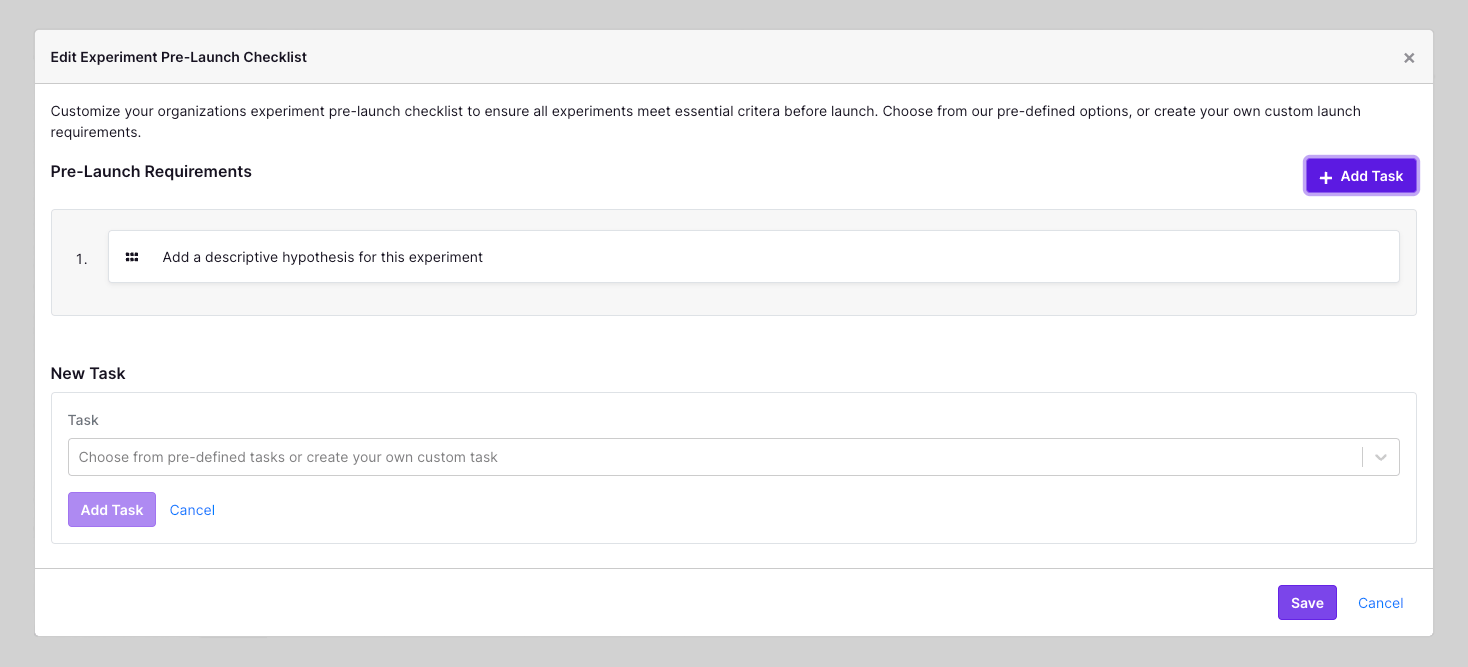
How to Create a Pre-Launch Checklist
Go to Settings → General and click Edit Checklist. From the menu, click Add Your First Task.Add a Pre-Defined Task
GrowthBook offers 5 pre-defined, common tasks:- Add a descriptive hypothesis for this experiment
- Upload a screenshot for each variation of the experiment
- Add a description for this experiment
- Add this experiment to a project
- Add at least 1 tag to this experiment
Add a Custom Task
To define a custom task, type the item in the text box and click Add Task. Add an optional URL to link to resources or documentation. Click Save to enable the checklist on all experiments.Project-Level Checklists
You can also create a project-level checklist. This checklist will override the organization-level checklist for all experiments in the project. To create a project-level checklist, go to Settings → Projects and select the project you want to create a checklist for. Here you can scroll to theExperiment Settings section and click Create Checklist.
If you change your mind, and you’d instead just like to use your organization’s default checklist, you can delete the project-level checklist by clicking the Delete Checklist button.