

Overview
A Safe Rollout is a Ramp Schedule with guardrail monitoring turned on. It releases a feature to a subset of users and automatically monitors guardrail metrics for regressions. Guardrails can be any metrics that matter to your team, such as error rates, latency, or conversions. The rollout runs as a short-term A/B test:- The Control receives the existing value.
- The Rollout receives the new value.
How to Add a Safe Rollout
1. Add a Targeting Rule with Monitoring
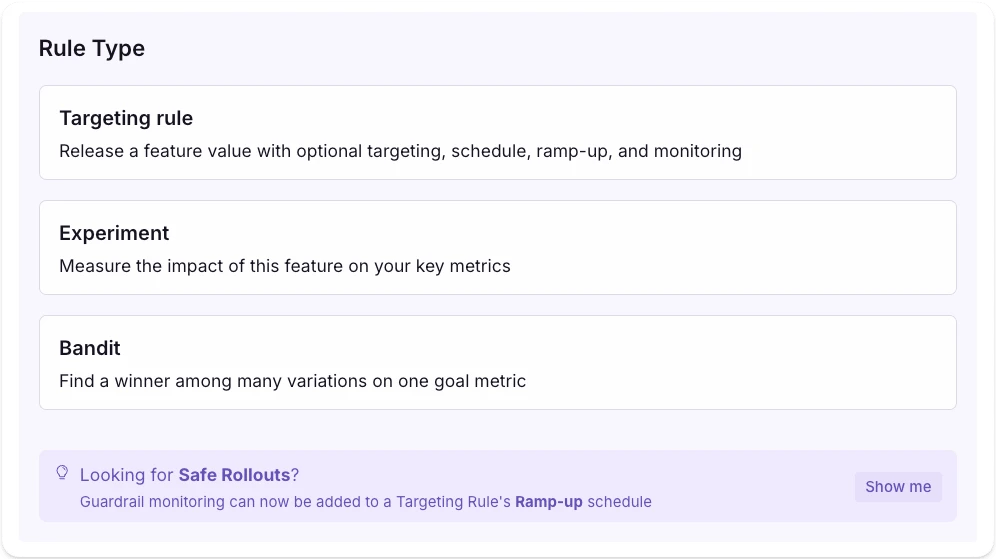
Safe Rollouts are now configured as a monitored Ramp Schedule rather than a separate rule type. The monitoring, analysis, and rollback behavior described below is unchanged.
2. Configure the Safe Rollout
- Rollout value: the value users in the Rollout group receive. It is compared against the Control (the rule’s existing value).
- Sample by: the attribute used to assign users to the Control and Rollout groups (for example,
idororganization_id).
3. Define Metrics and Monitoring
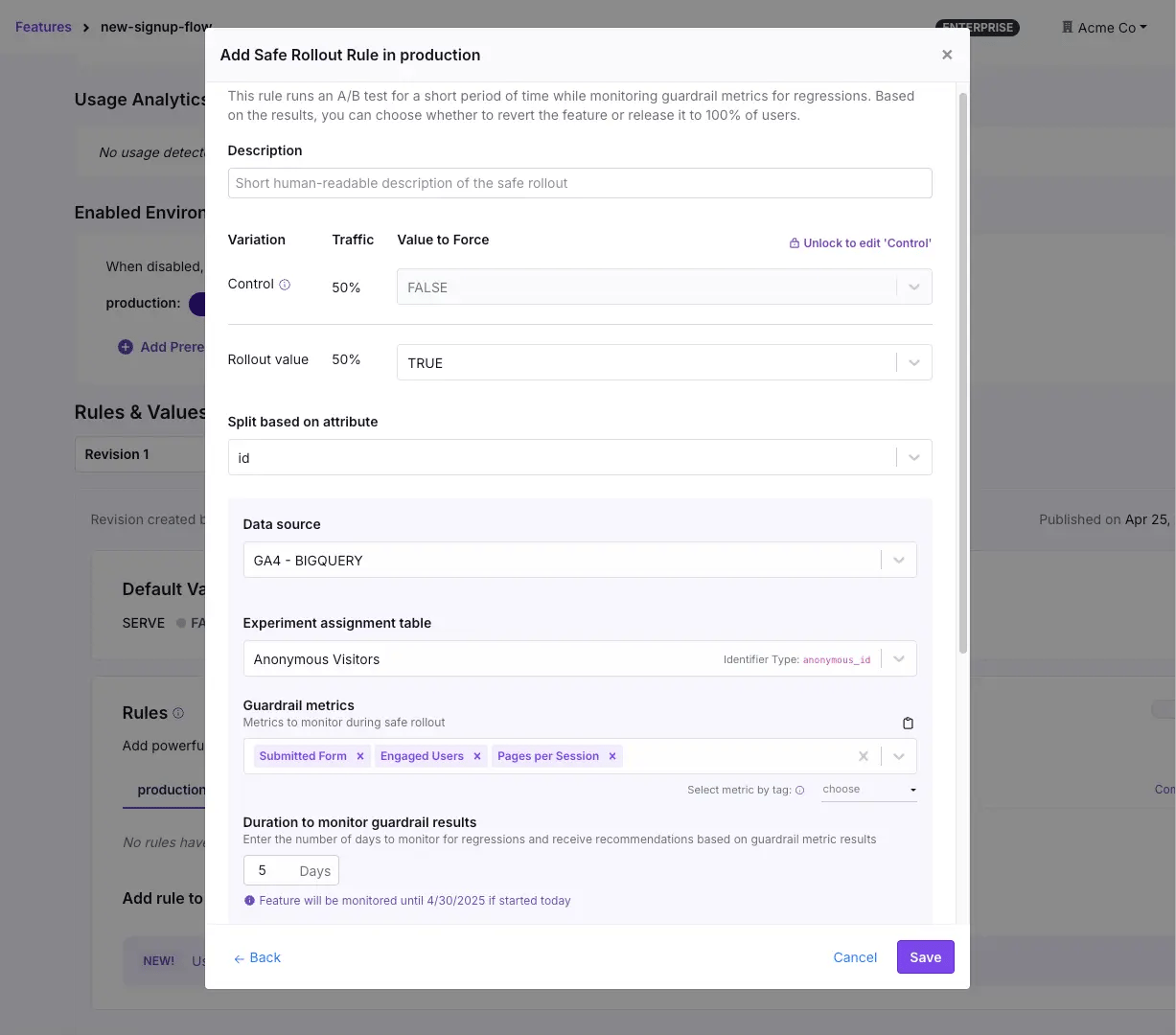
- Data Source and Assignment Table: Confirm the data source and assignment table used for exposure tracking.
- Guardrail Metrics: Select one or more metrics to monitor for regressions. GrowthBook automatically rolls back and disables the rule if any of them regress significantly, so there is no separate auto-rollback toggle.
- Signal Metrics: Optional metrics that pause the rollout at the current step if they regress, without rolling it back. It resumes when they recover.
4. Ramp Up Schedule
A Safe Rollout ramps traffic up through the steps of its underlying Ramp Schedule. By default, a monitored ramp steps the rollout through: 1% → 5% → 10% → 25% → 50% Each monitored step splits its traffic 50/50 between the Rollout and the Control, so monitored steps top out at 50%. The early steps each hold for a short slice of the Duration, then the rollout holds at 50% for the rest of the window before releasing to 100% when the schedule completes. You can change the pace with Duration, or edit the steps directly in Advanced View.5. Monitor the Rollout
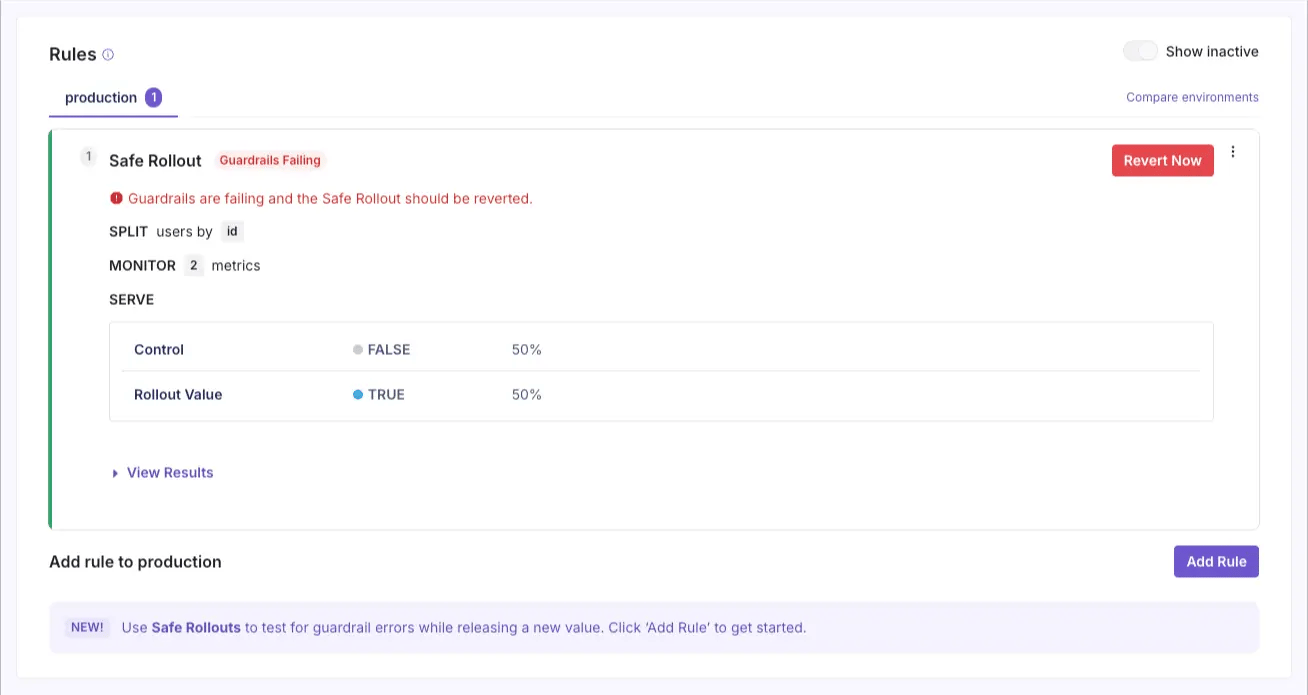
Guardrails are analyzed for failure using frequentist sequential testing, allowing you to roll back as soon as statistical significance is reached without fear of false positives. Your safe rollout is automatically monitored for implementation errors with sample ratio mismatch and multiple exposures checks.
6. Take Action
At the end of the monitoring period (or sooner if issues arise), you can:- Release the feature to 100% of users (if not already there).
- Revert the feature to the control value.
- Continue to monitor.