> ## Documentation Index
> Fetch the complete documentation index at: https://docs.growthbook.io/llms.txt
> Use this file to discover all available pages before exploring further.
# Setting Up ClickHouse as a Data Source
> Connect ClickHouse to GrowthBook with a connection URL, database, and a read-only user. Allowlist the Cloud IP if needed.
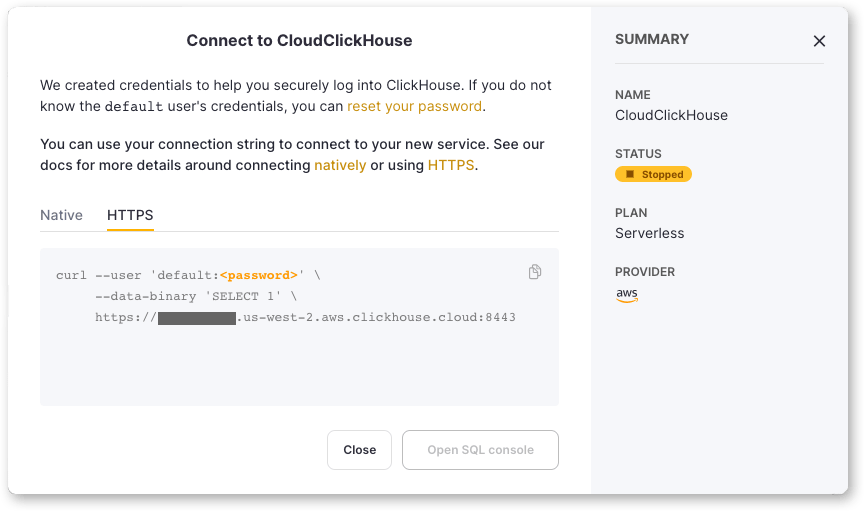
Connecting to Clickhouse is very straightforward. You just need to provide the connection string and credentials. If you
are using something like Clickhouse Cloud, you can find the connection string in the UI.
 If you are making connection credentials just for GrowthBook, you can give it read-only access to the database.
If you use [GrowthBook Cloud](https://app.growthbook.io) and the destination is behind a firewall, allow inbound traffic from `52.70.79.40/32`. That is the only address GrowthBook Cloud connects out from — see [IP addresses](/ip-addresses).
If you are making connection credentials just for GrowthBook, you can give it read-only access to the database.
If you use [GrowthBook Cloud](https://app.growthbook.io) and the destination is behind a firewall, allow inbound traffic from `52.70.79.40/32`. That is the only address GrowthBook Cloud connects out from — see [IP addresses](/ip-addresses).